
How to Do Keyword Intent Classification in Google Sheets: A Step-by-Step Workflow + Template
Classifying keyword intent in Google Sheets sounds simple until the sheet grows, labels become inconsistent, and half the list ends up tagged by instinct instead of evidence. This guide shows a practical workflow to bulk-label search intent in Google Sheets, validate ambiguous terms, and turn a raw keyword dump into something you can actually use for SEO planning. It also includes a simple template structure and a faster way to handle first-pass labeling with Intent Miner.
Quick Answer
To do keyword intent classification in Google Sheets, create an Intent column, define a small set of intent labels, use REGEXMATCH formulas to bulk-tag obvious patterns such as “how to,” “best,” “vs,” or “buy,” and then manually review the uncertain rows. Google Sheets supports both regex-based classification and dropdown-based review workflows, which makes it useful for bulk intent labeling and QA.
What Keyword Intent Classification Means in Practice
Keyword intent classification is the process of assigning a search-intent label to each keyword based on what the searcher is likely trying to do. In most SEO workflows, the labels are usually:
- Informational: the user wants to learn something
- Commercial: the user is comparing options
- Transactional: the user is ready to act, buy, sign up, or download
- Navigational: the user wants a specific brand, page, or tool
The reason this matters is brutally simple: intent affects page type. If the query is informational, a tutorial or explainer usually fits. If it is commercial, comparison content often works better. If it is transactional, the page needs a direct offer, product, or tool-led CTA. That is why intent classification is not just spreadsheet housekeeping. It shapes content strategy, internal linking, and conversion paths.
Why Google Sheets Is Useful for Intent Classification
Google Sheets is not a dedicated SEO platform, but it is good at three things that matter here: structured review, repeatable formulas, and collaborative editing. Google supports REGEXMATCH for pattern-based text classification, and Sheets also supports dropdowns through data validation, which makes it easy to standardize labels during manual review.
That combination gives you a very usable workflow:
- bulk-tag obvious keywords with formulas
- review edge cases with dropdown labels
- filter keywords by intent for content planning
Elegant enough to work, ugly enough to be real. A rare spreadsheet miracle.
Step-by-Step: How to Classify Keyword Intent in Google Sheets
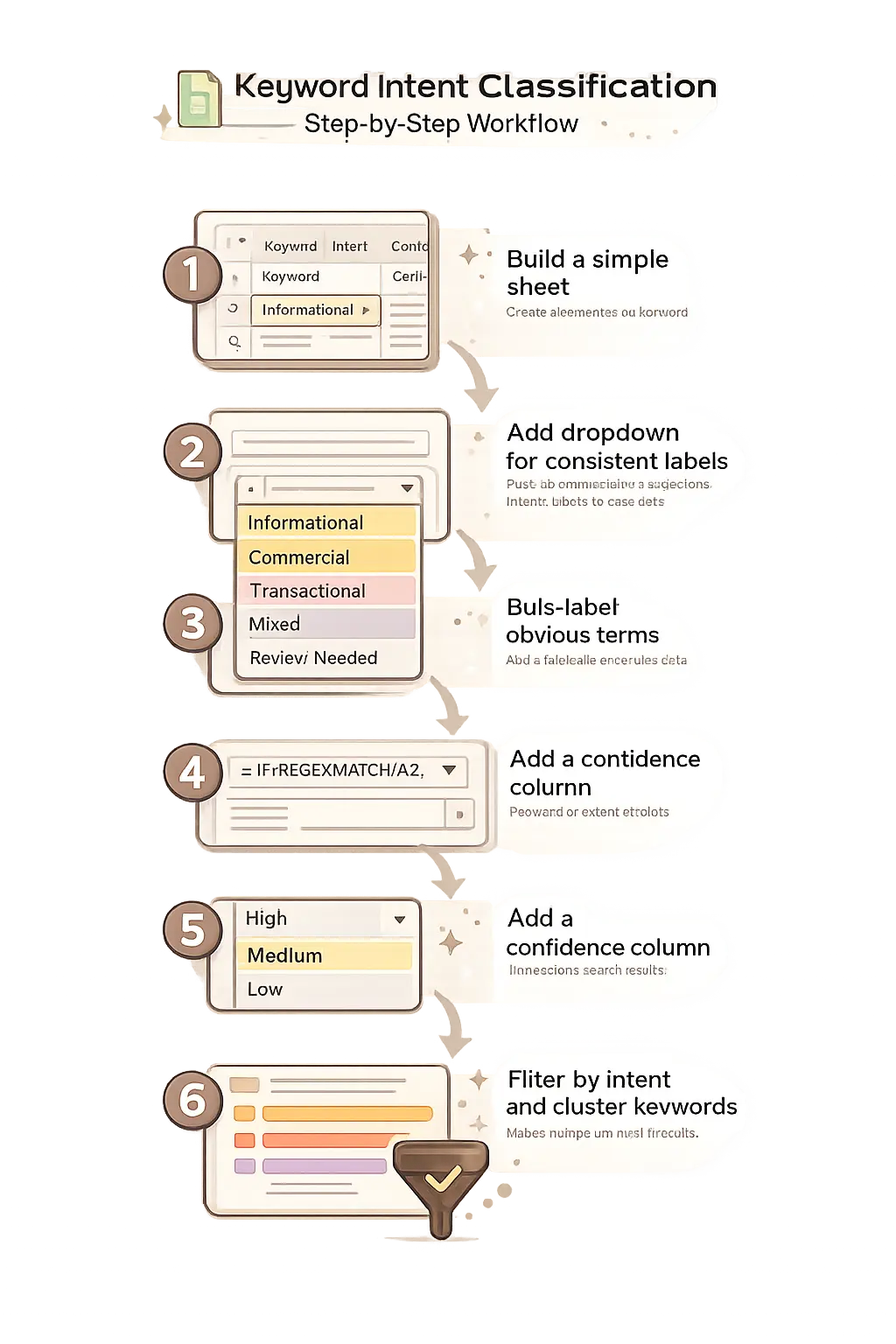
1. Build a simple sheet structure
Create these columns:
- Keyword
- Intent
- Confidence
- Rule Match
- Notes
This is enough for classification, QA, and handoff to content planning.
2. Add standardized intent labels with a dropdown
In Google Sheets, you can create in-cell dropdowns using Insert > Dropdown or Data validation. Use the same label set across the sheet to avoid chaos disguised as flexibility. Recommended values:
- Informational
- Commercial
- Transactional
- Navigational
- Mixed
- Review Needed
Dropdowns make the review stage much cleaner and reduce inconsistent naming.
3. Use pattern-based rules for first-pass labeling
Google Sheets supports regex matching through REGEXMATCH, which is enough to classify many obvious terms.
If your keyword is in A2, this starter formula works
well in B2:
=IF(REGEXMATCH(LOWER(A2),"how to|what is|guide|tutorial|examples"),"Informational", IF(REGEXMATCH(LOWER(A2),"best|top|review|compare|vs|alternative"),"Commercial",
IF(REGEXMATCH(LOWER(A2),"buy|pricing|discount|sign up|download|order"),"Transactional",
IF(REGEXMATCH(LOWER(A2),"login|brand name|tool name"),"Navigational","Review Needed"))))
This is not meant to be perfect. It is meant to eliminate the obvious rows fast.
4. Add a confidence column
Mark rows as High, Medium, or Low confidence. High confidence usually means the wording strongly signals intent, such as “buy,” “pricing,” or “how to.” Low confidence often means the term is broad, blended, or context-dependent.
5. Review mixed-intent keywords manually
Some queries do not cleanly fit a single bucket. Terms like search intent tool or keyword intent classification may return tutorials, tools, and landing pages in the same SERP. These should be marked as Mixed or Review Needed until validated.
6. Filter by intent and build content clusters
Once the list is labeled, filter by intent and group the keywords into content types. Informational terms can feed blog tutorials. Commercial terms often belong in comparisons or tool roundups. Transactional terms usually deserve landing pages, feature pages, or product-led content.
Copy/Paste Google Sheets Template
Use this header row:
Keyword | Intent | Confidence | Rule Match | NotesRecommended intent dropdown values:
Informational, Commercial, Transactional, Navigational, Mixed, Review NeededRecommended confidence values:
High, Medium, LowTry It with the Tool
If you do not want to build the first-pass classification manually, use Intent Miner before touching the spreadsheet. Intent Miner is a browser-based keyword and search-intent analyzer for English and Spanish content that can extract keywords, classify intent, and generate optimized H2 ideas. That makes it a natural first layer before Google Sheets review.
Workflow:
- Paste your keyword list into Intent Miner
- Let the tool auto-label likely intent
- Move the output into Google Sheets
- Review mixed or uncertain rows
- Filter by intent and map each cluster to a page type
Examples of Keyword Intent Classification in Sheets
Informational examples
how to classify keyword intent, what is search intent, and keyword intent examples are usually informational. They fit tutorials, explainers, and glossary-style content.
Commercial examples
best keyword intent tool, intent analysis software, and intent miner alternative usually signal comparison behavior. These belong in review-style or comparison content.
Transactional examples
search intent analyzer free or keyword intent tool online often signal product-led intent. These are strong candidates for a tool landing page or embedded-tool article.
Download the Google Sheets Template
If you prefer, you can download a ready-to-use template and paste your keyword list directly.
Common Mistakes When Classifying Keyword Intent
- Using too many intent labels: this reduces consistency and slows review.
- Trusting regex rules too much: formulas catch patterns, not full context.
- Ignoring mixed intent: some keywords genuinely support more than one SERP format.
- Skipping review: spreadsheet logic is not validation.
- Forgetting the content outcome: intent labels should map to an actual page type.
How Intent Miner Helps This Workflow
Google Sheets is excellent for organizing, reviewing, and filtering keyword lists. It is less efficient for first-pass classification at scale. Intent Miner helps close that gap by handling the early intent labeling and H2 ideation before you move into spreadsheet cleanup and prioritization. Because the tool is built specifically for keyword and intent analysis in English and Spanish, it fits naturally into a lightweight content workflow for creators, SEOs, and niche-site builders.
FAQ
Can Google Sheets classify keyword intent automatically?
Partially. Google Sheets supports REGEXMATCH, which lets you bulk-label many obvious keywords based on patterns, but ambiguous terms still need manual review.
What are the main keyword intent categories?
The most common categories are informational, commercial, transactional, and navigational. Some teams also use mixed intent or review-needed labels for unclear terms.
Is Google Sheets enough for keyword intent classification?
It is enough for review, sorting, and lightweight workflows. For faster first-pass analysis, using a dedicated tool before Sheets is usually more efficient.
Do FAQs still help with SEO?
Yes for semantic coverage and UX, but not necessarily for FAQ rich results. Google states that FAQ rich results are now mainly shown for well-known government and health sites, so adding an FAQ section can still help readers and topic coverage without guaranteeing a visible rich result.
Conclusion
If you want a practical answer to how to do keyword intent classification in Google Sheets, this is it: use Sheets for structure, rule-based labeling, and review, but do not force the spreadsheet to do everything. Bulk-label the obvious keywords, validate the uncertain ones, and map each intent group to the right page type. For a faster workflow, run the list through Intent Miner first, then use Google Sheets to refine the output and plan content with less manual friction. Cleaner process, better intent mapping, fewer spreadsheet crimes.